
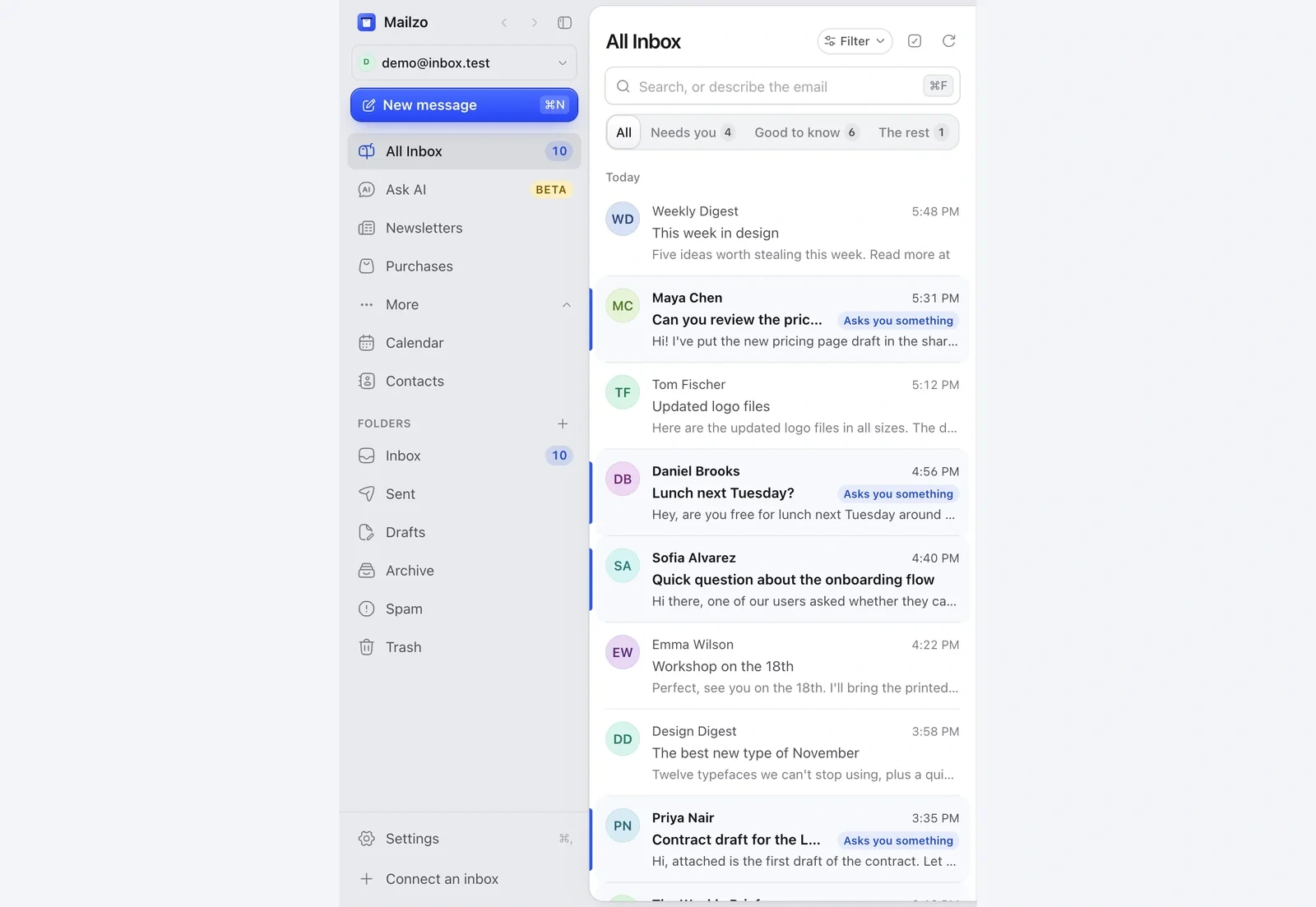
- Click Connect an inbox at the bottom of the sidebar.
- Sign in the same way as your first inbox.
- Repeat for every address you use. There's no limit.
All Inbox
All Inbox shows every inbox in one list. Pick one inbox from the menu at the top of the sidebar to see only its email.
Give each inbox its own look
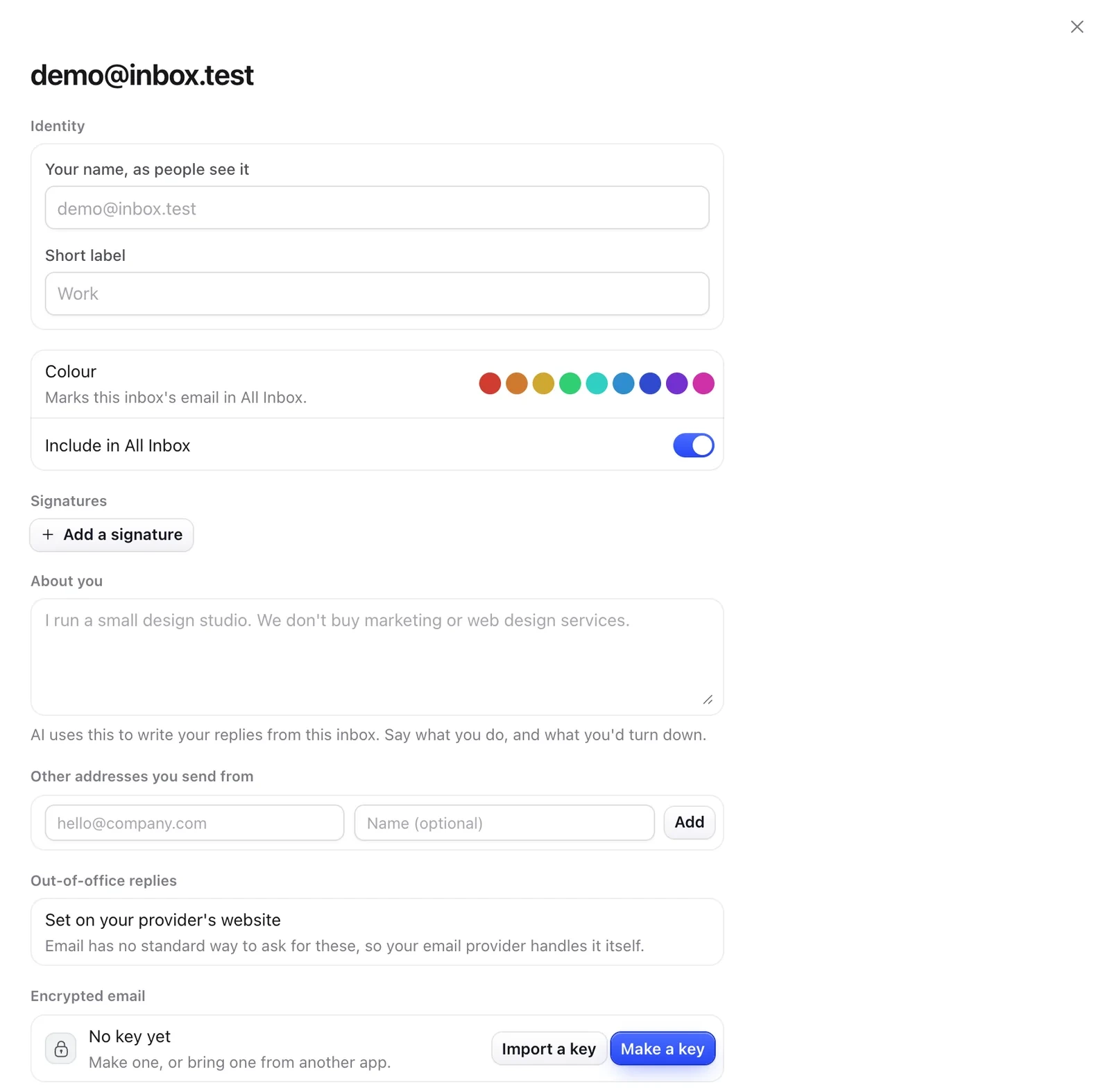
- Open Settings (⌘,) and click the inbox under its address.
- Pick an Inbox colour, so you can tell its emails apart in All Inbox.
- Turn off Include in All Inbox to keep an inbox separate.
Still need help?
Write to us and a real person will reply.