
Make a filter
- Open Settings › Filters and click New filter.
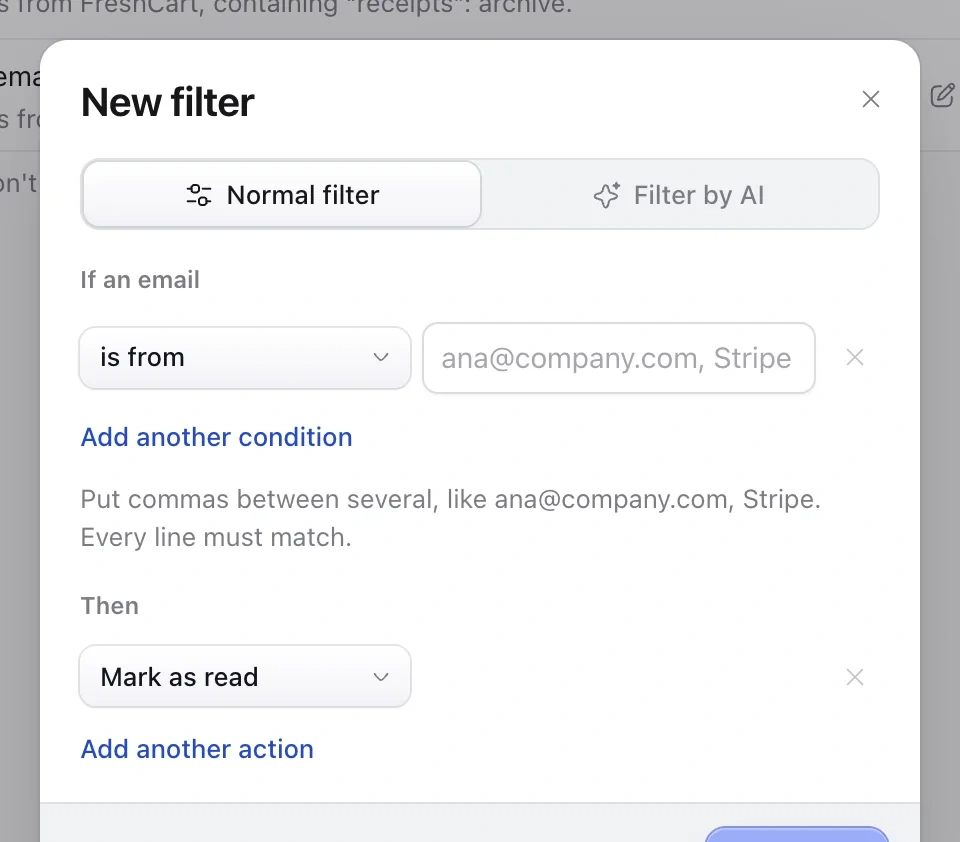
- Choose what to match: who it's from, words in the subject or email, who it's sent to, or attachments.
- Choose what to do: move it to a folder, mark it read, star it, put it on a tab or send it to Spam.
- Click Save filter. It works on new mail from then on.
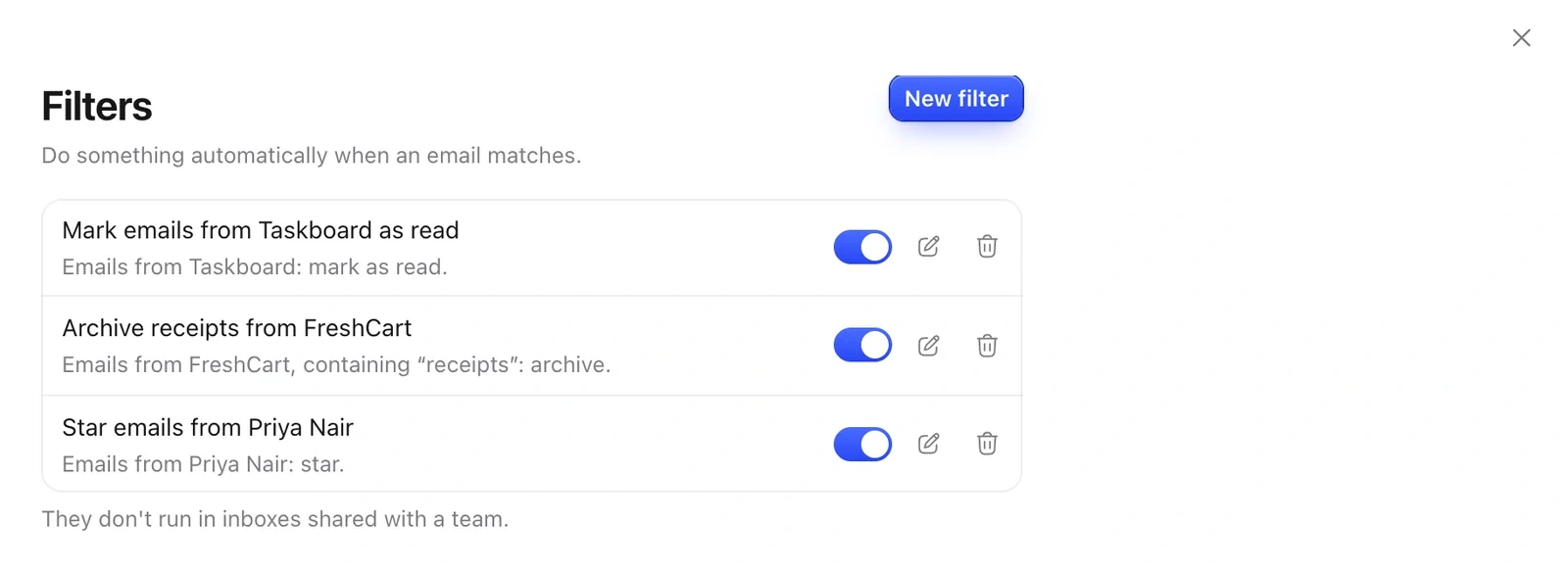
Not sure where to start? Pick a ready-made one under Start from a common use.
Filters in plain words
With AI turned on, choose Filter by AI and describe the emails, like cold sales pitches from people I've never emailed. Click Try it on your latest emails to check it first.
Still need help?
Write to us and a real person will reply.