
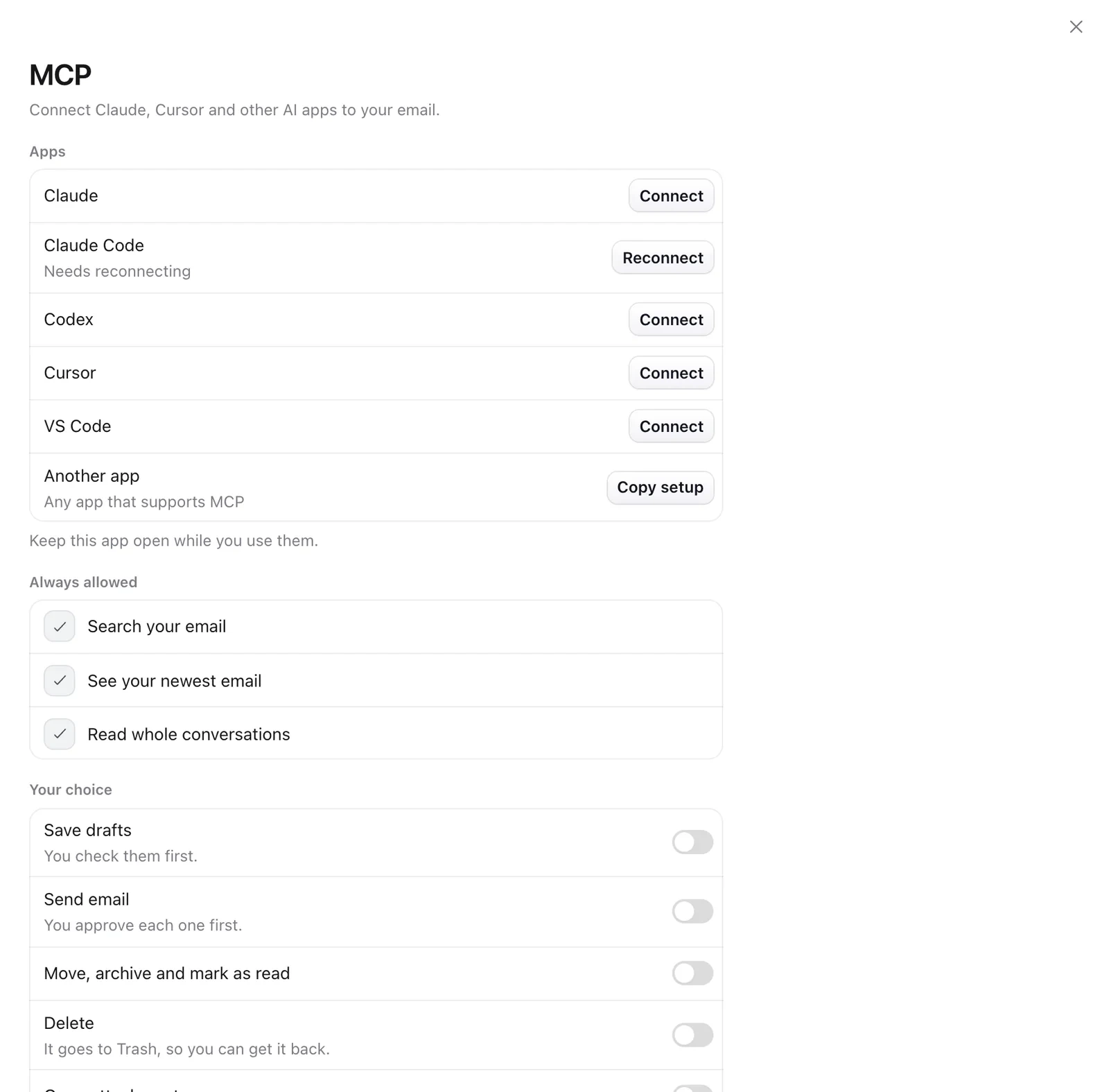
- Open Settings › MCP.
- Click Connect next to Claude, Claude Code, Codex, Cursor or VS Code. For any other app, click Copy setup and paste it into that app.
- Keep Mailzo open while you use the AI app.
You stay in control
- Searching and reading are always allowed.
- Saving drafts, sending, moving and deleting each have their own switch, and start off.
- When an app wants to send, Mailzo asks you first.
- Settings › AI activity lists everything an app did, for 90 days.
Still need help?
Write to us and a real person will reply.