
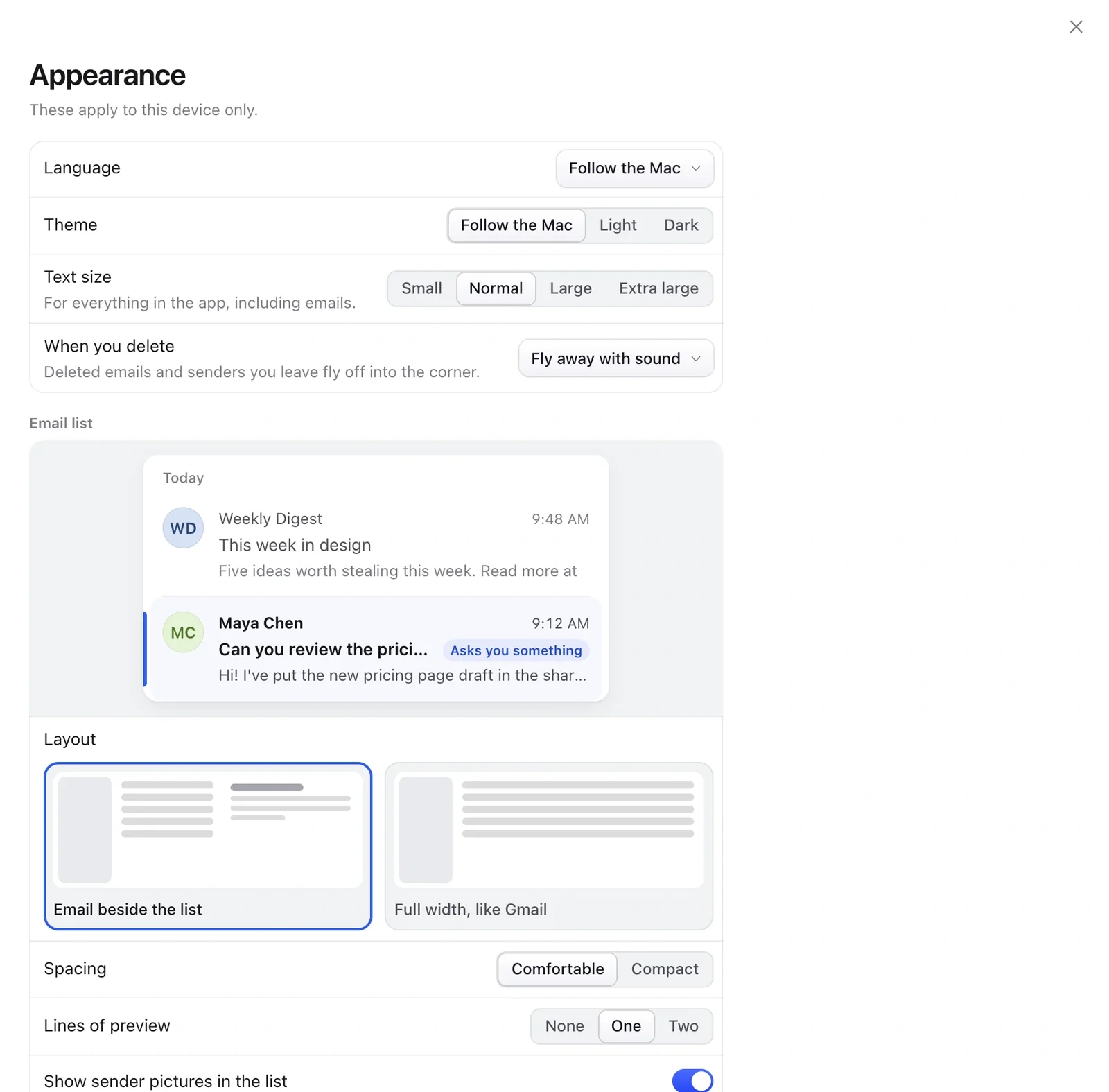
- Open Settings › Appearance.
- Under Layout, choose Email beside the list or Full width, like Gmail.
- Pick Spacing and how many Lines of preview to show.
- Choose Light, Dark or Follow the Mac, and a text size.
The sidebar
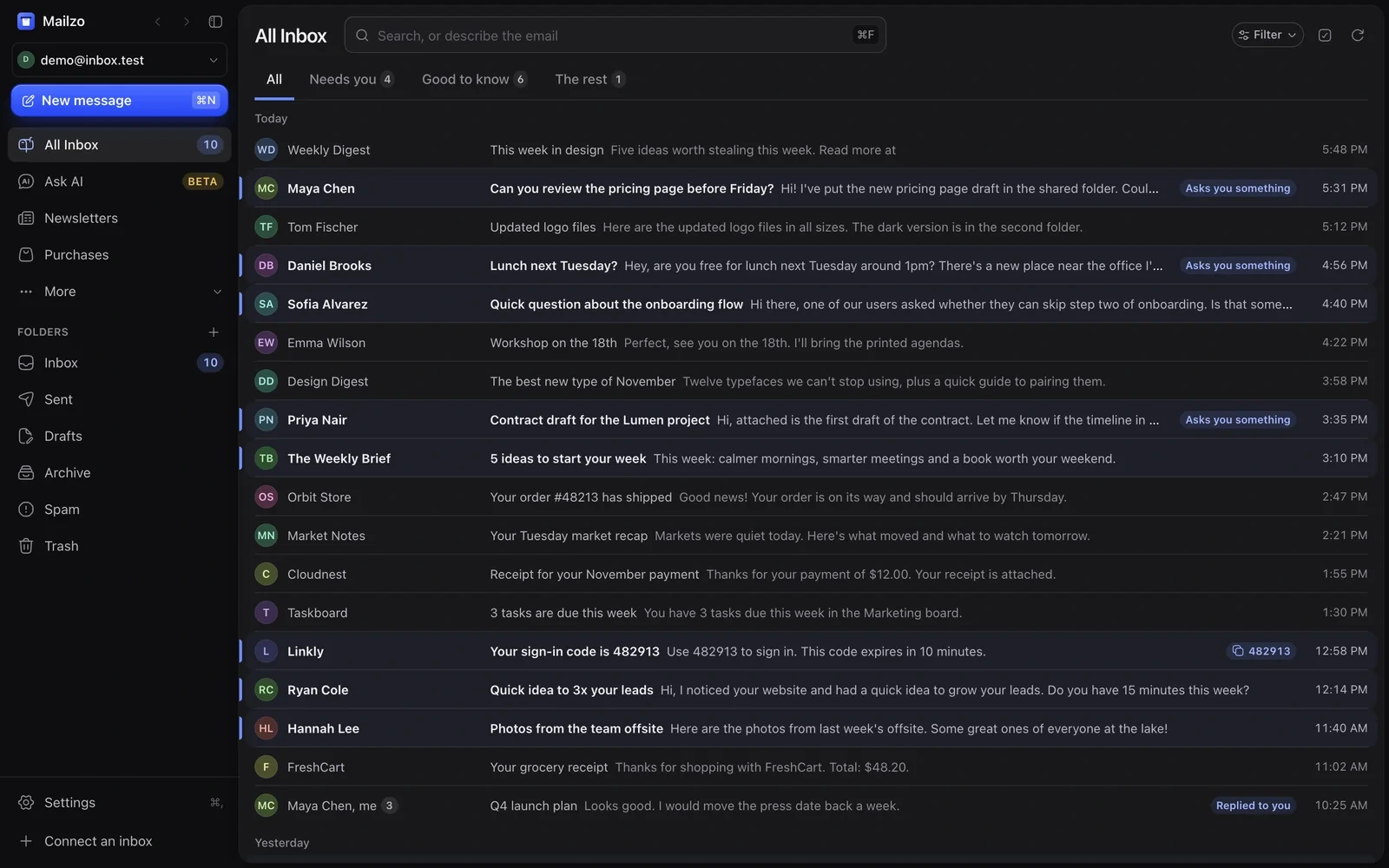
- Drag items to put them in any order.
- Right-click an item and choose Hide from sidebar.
- More holds Snoozed, Scheduled, Reminders, Muted, New senders, Calendar and Contacts.
- ⌘\ hides or shows the whole sidebar.
Still need help?
Write to us and a real person will reply.