
Every new email lands on one of three tabs. Sorting happens on your Mac and nothing moves on your mail server, so other mail apps still see your inbox as it is.
- Needs you: people waiting on a reply or an answer from you.
- Good to know: updates, orders and codes worth a look.
- The rest: newsletters, offers and cold sales emails.
- All: everything together.
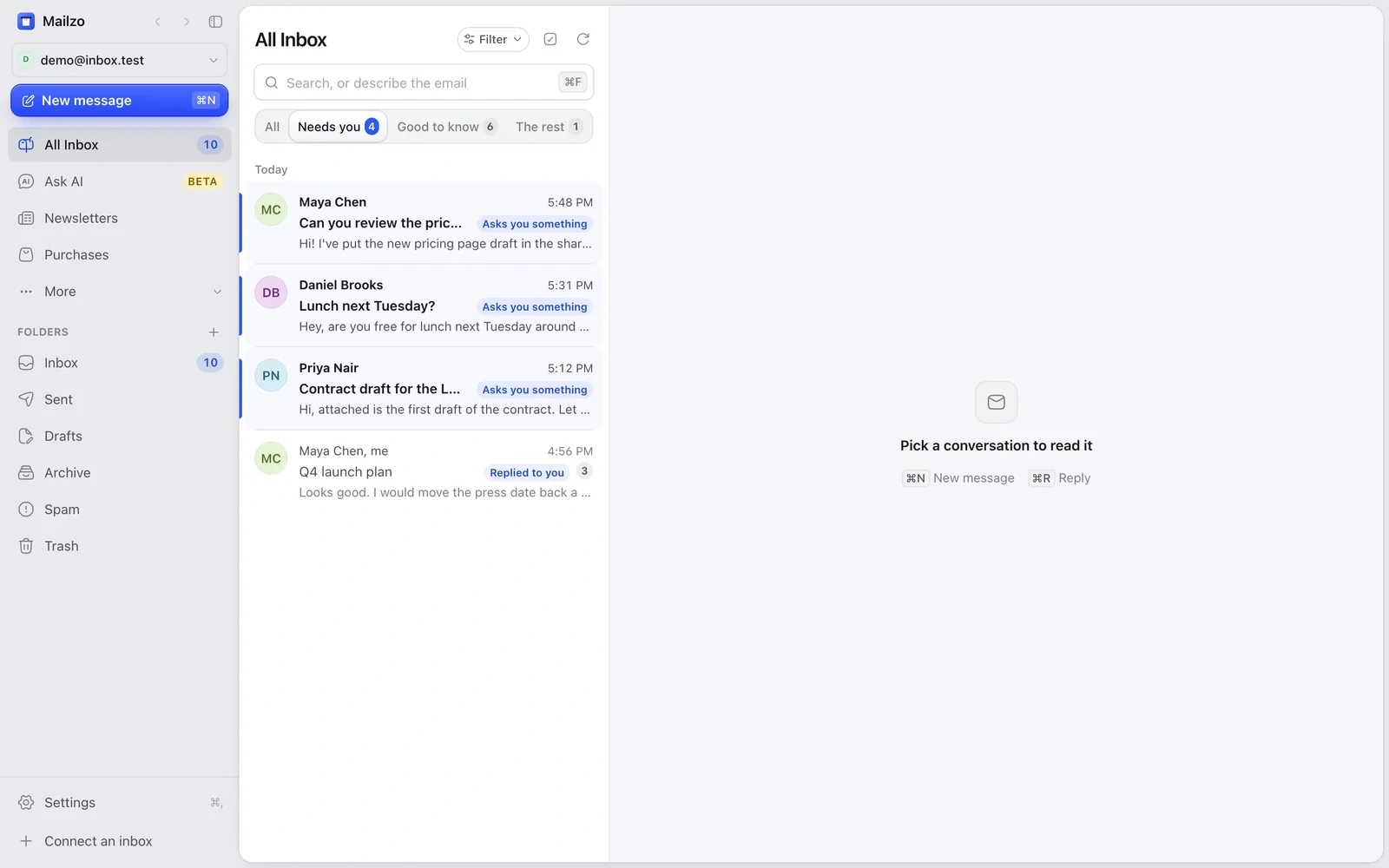
Small labels show why an email is there, like Asks you something, Replied to you or Waiting 3 days.
When you've dealt with an email
Press D or click Done. It leaves Needs you but stays in your inbox.
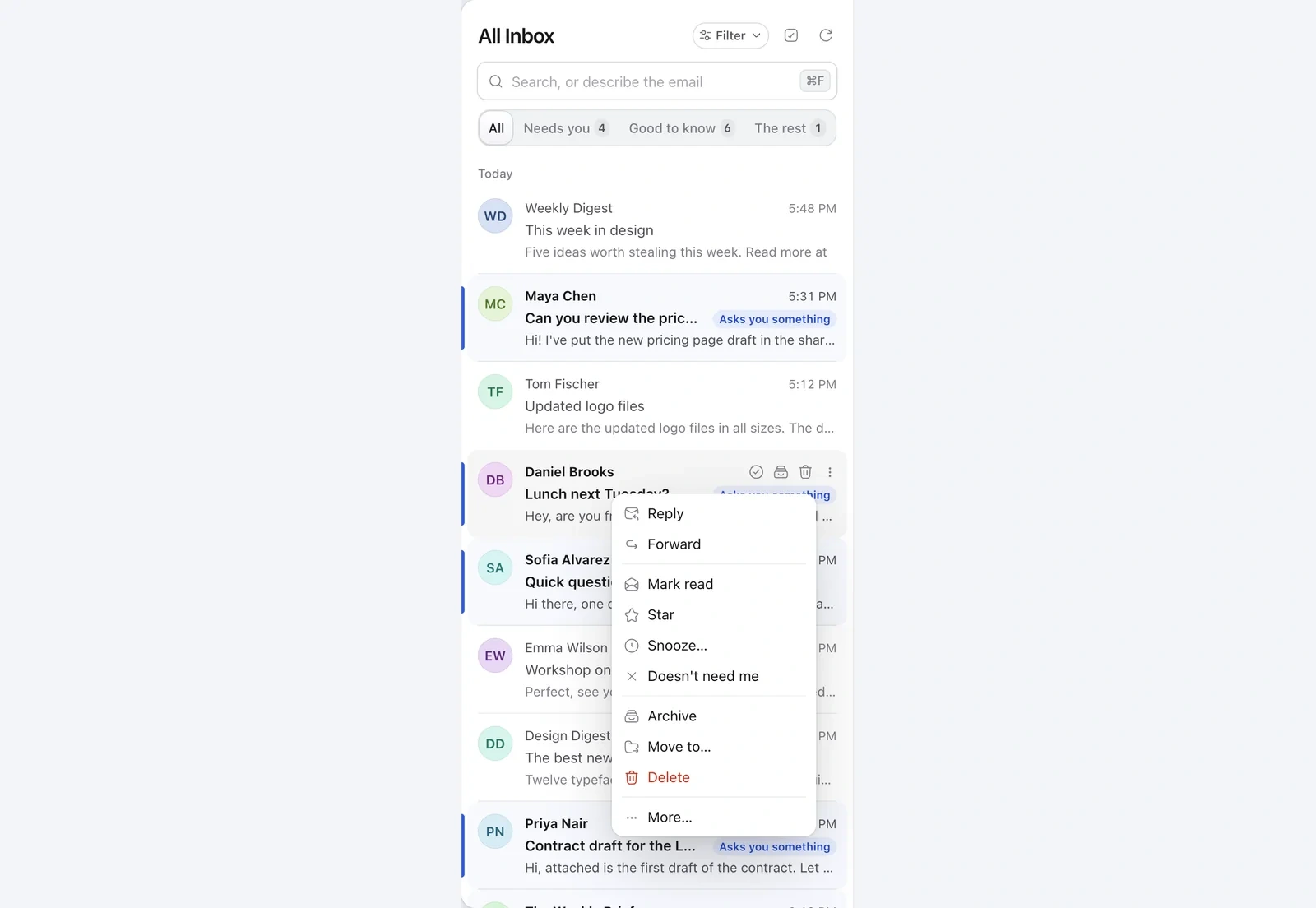
Move an email to the right tab
- Right-click the email.
- Choose Doesn't need me or Needs me.
- To do it for every email from that sender, choose Always put on tab… and pick a tab.
Still need help?
Write to us and a real person will reply.